A pick for today
Bring a favorite outfit back into rotation. Add weather when you want suggestions that fit the day.
 Closet
Get Closet
Closet
Get Closet
A home for everything you wear
See what you own, find your next outfit, and make more of the pieces you already love.
Made for iPhone, iPad & Mac Currently in beta
Less searching.
More getting dressed.
Clothing & accessories
Outfits & wear history
Wishlist & insights
Inside Closet
From the jacket you reach for every day to the shoes you forgot you had. Put it all in one place.
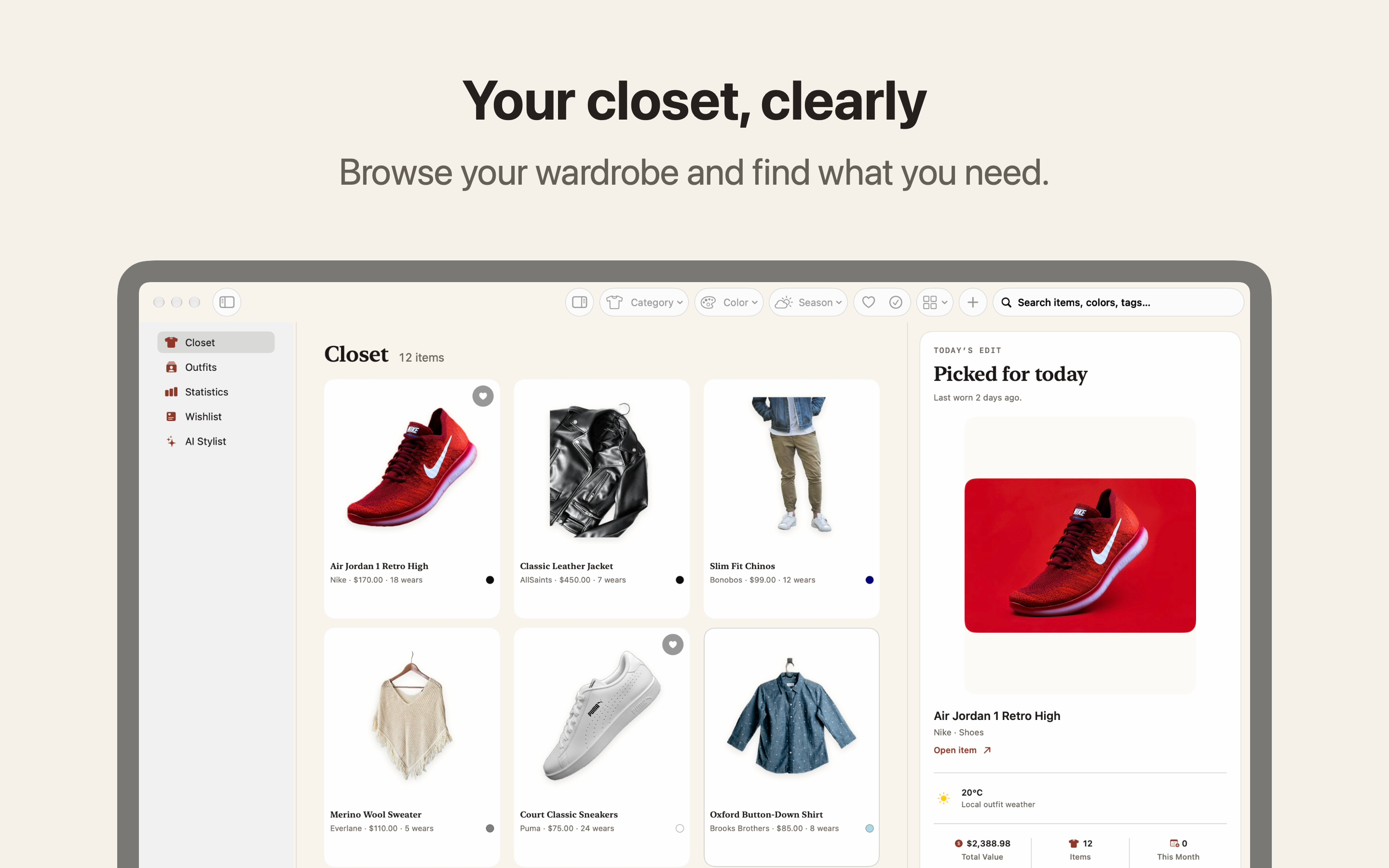
Clothes, shoes, bags and the little things that finish a look. Keep photos and details together, then find any piece by category, color or tag.
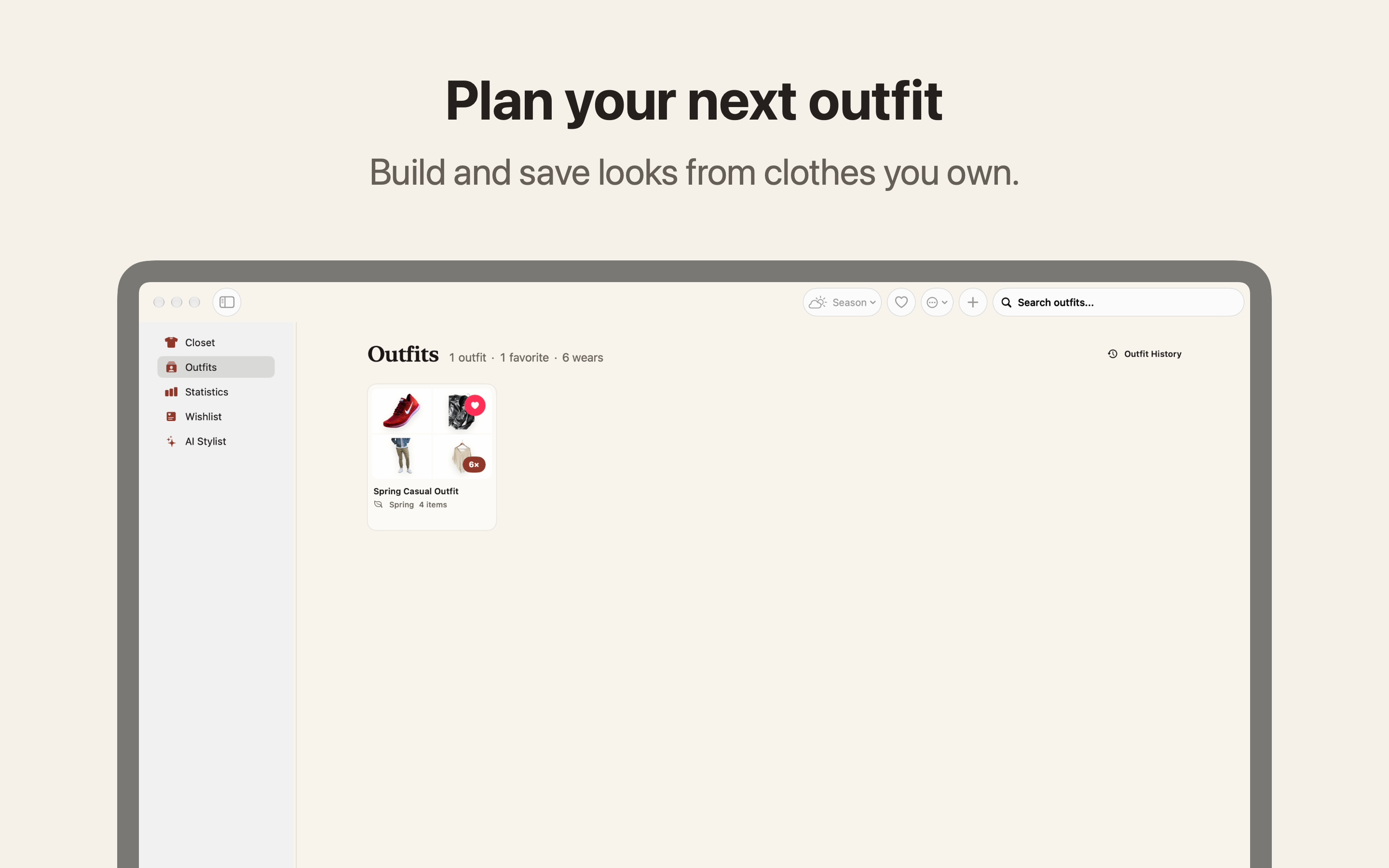
Bring pieces together into outfits you can find again. Try an optional weather-aware Today’s Pick, log the whole look in one step, and look back at what you wore.
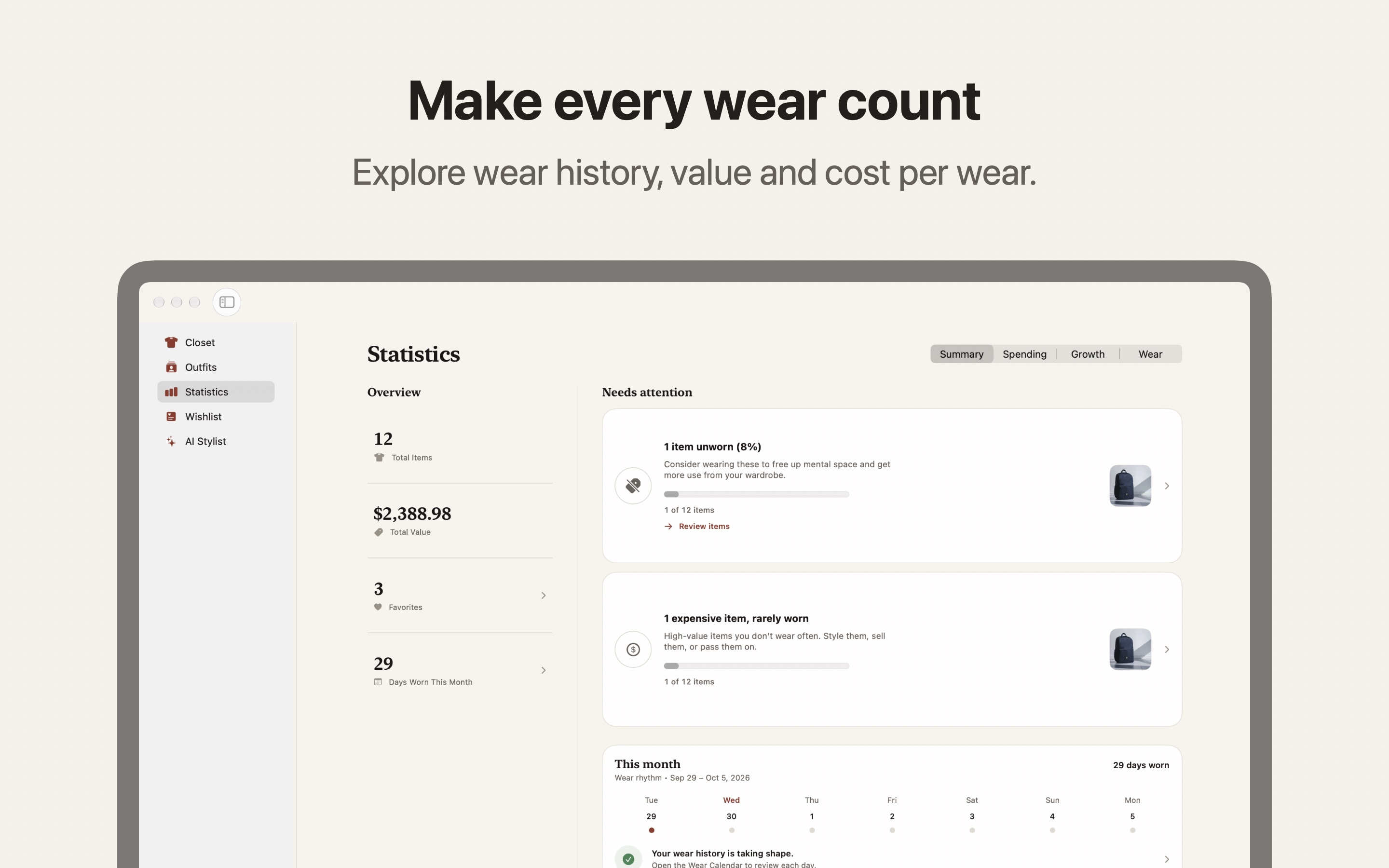
See which pieces you wear most, how your spending adds up, and what each wear really costs. A little perspective for your next purchase.
Save the things you’re considering without mixing them into your wardrobe. Keep links, priorities and price history together until you’re ready.
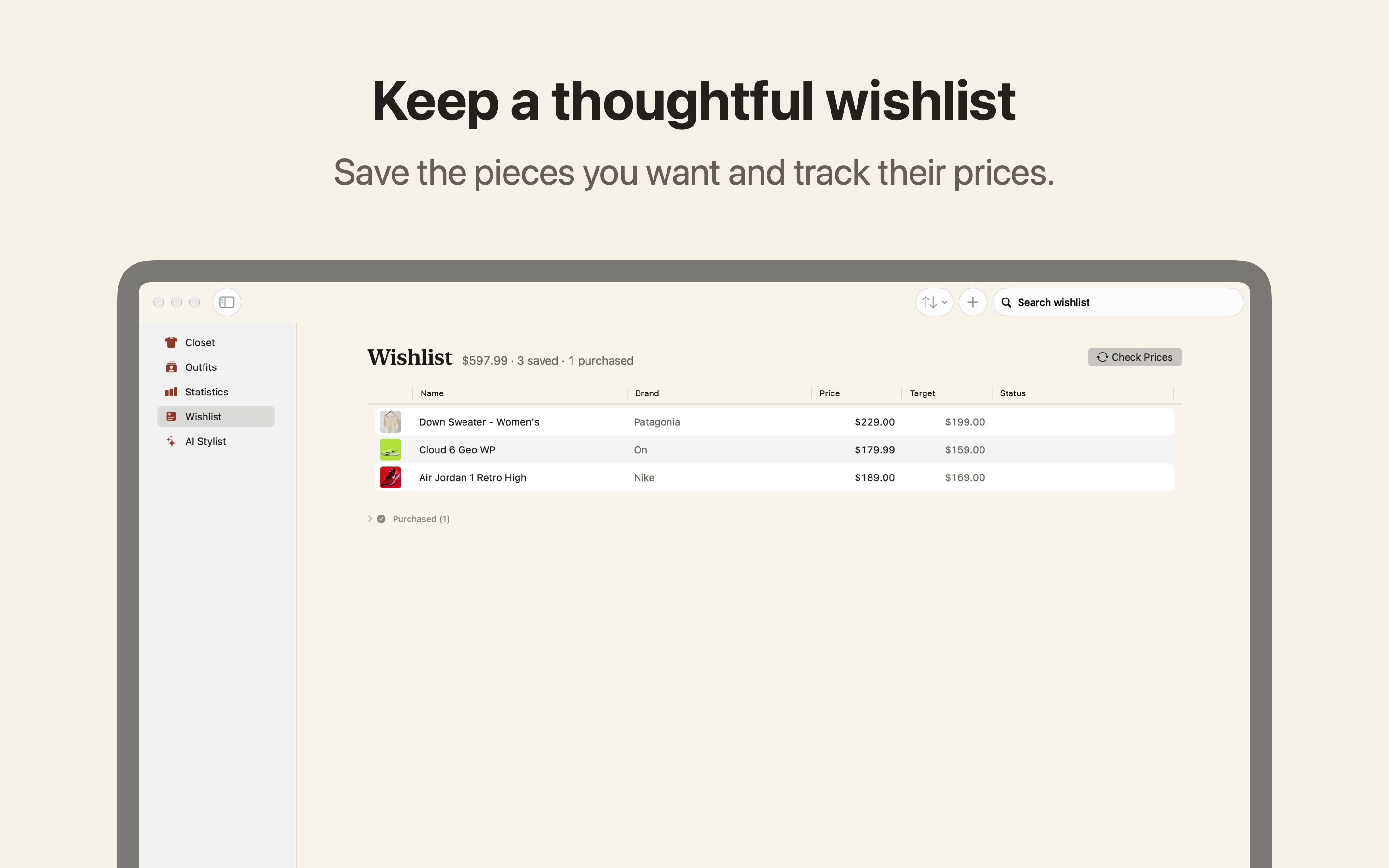
Shown on Mac. Made for iPhone and iPad, too.
iPhone · iPad · Mac
A quick look on your phone. More room to browse on iPad. A native workspace on Mac. Your own pieces, with you through private iCloud sync.
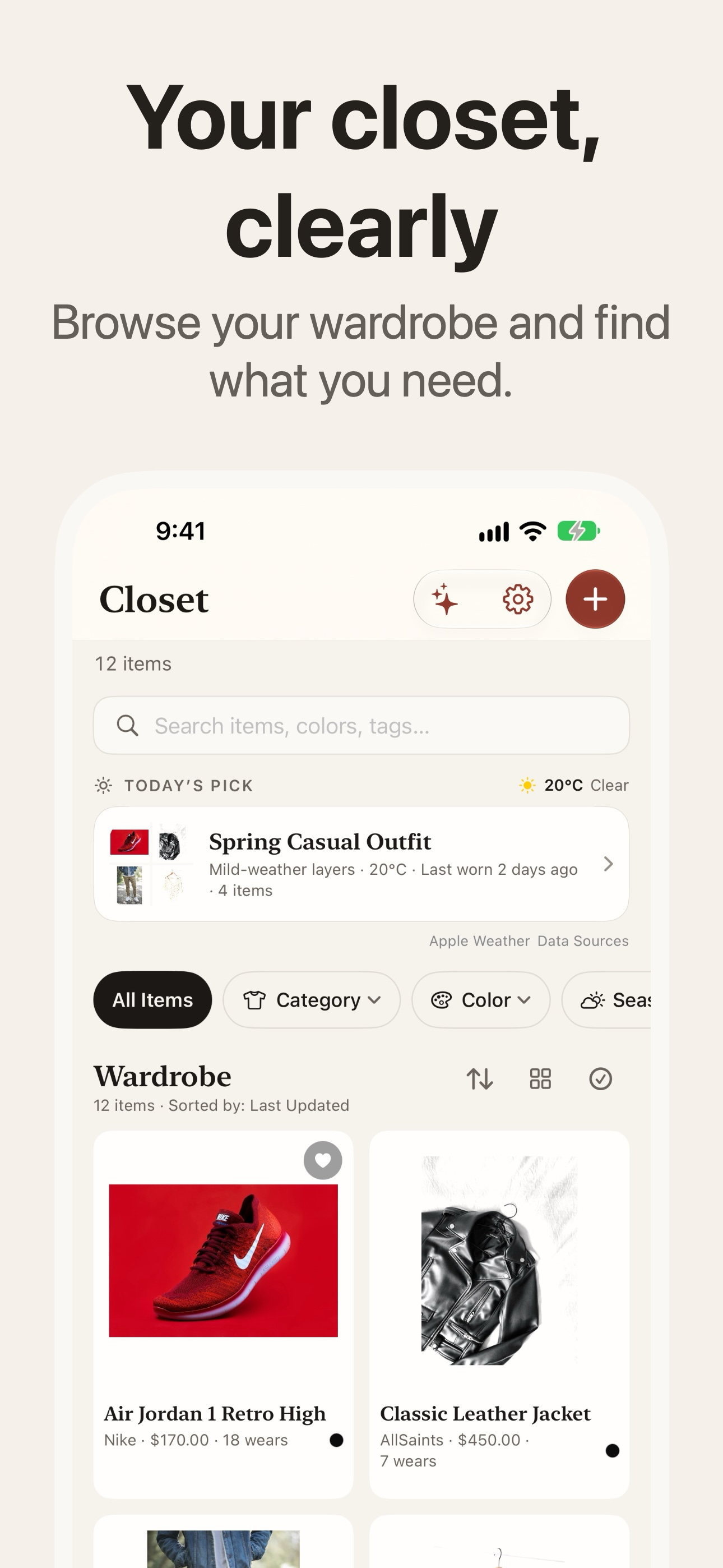
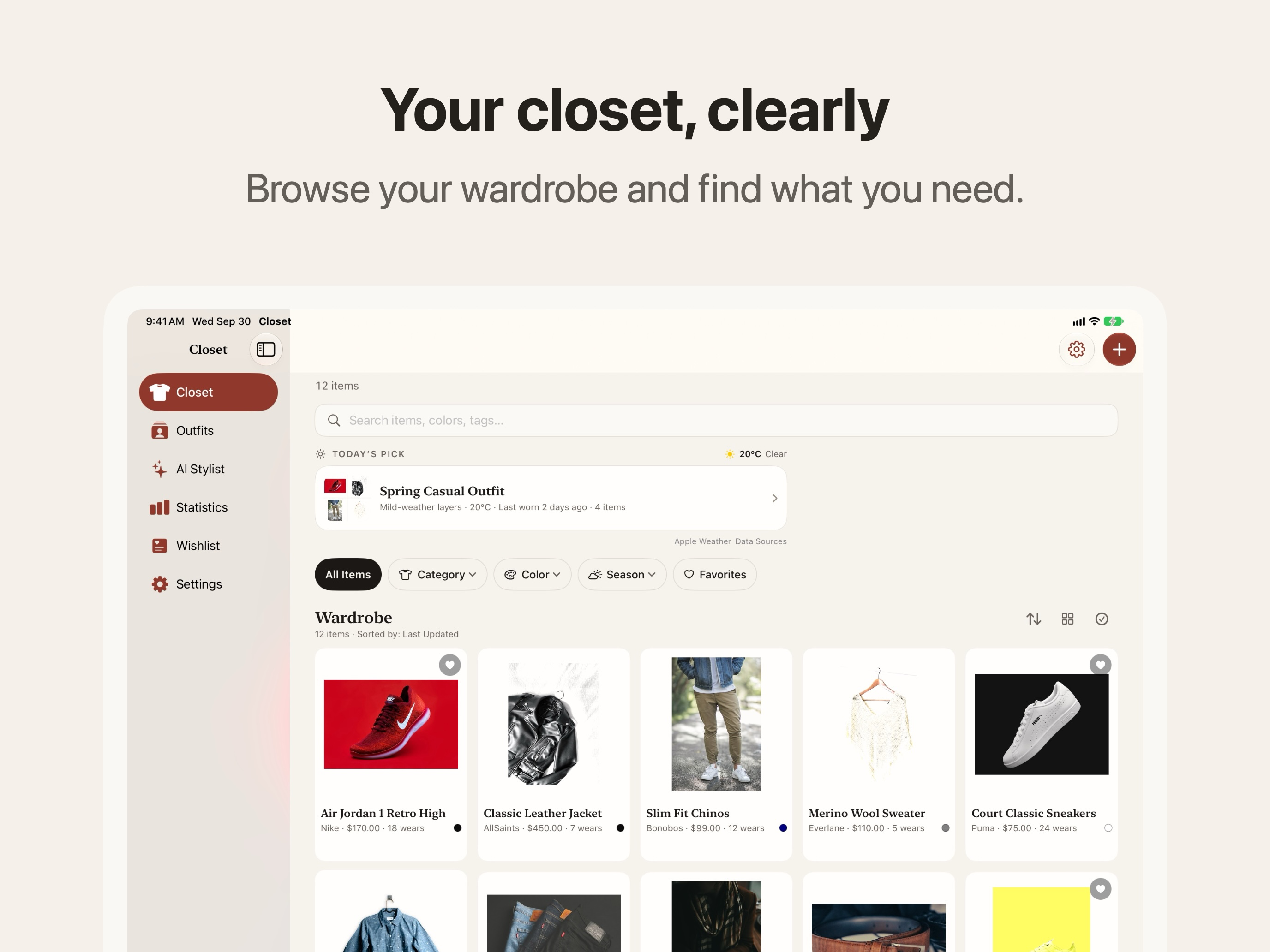
Bring a favorite outfit back into rotation. Add weather when you want suggestions that fit the day.
On iPhone and iPad, configurable widgets bring Summary, Spending, Growth and Wear cards to your Home Screen.
Use widgets and Shortcuts to reach your wardrobe and record the pieces you wear. Your history stays with each item.
Make it yours
You don’t have to catalog everything in a day. Start with what you love and build from there.
Start with photos, including several pieces at once, or enter an item yourself. Each photo becomes its own item to review. Keep the brand, size, color and purchase price together.
Use the Safari extension on iPhone, iPad or Mac, or Chrome on Mac. Choose a product photo, check the captured details, and save to Closet or Wishlist. If a site blocks import, a photo or manual entry still works.
Browse Amazon order history in the app, choose the purchases you want, and review each item before it joins your closet.
A different way to look at value
A price tag is only the beginning. Every time you wear something, its cost per wear comes down. Closet keeps track as you log your days.
Try the idea
An example to explore. Your wardrobe’s numbers live in the app.
Your wardrobe. Your choice.
Your wardrobe starts on your device. There’s no Closet account to create, no advertising, and no cross-app tracking.
Read our privacy policyUse Closet on iPhone, iPad and native Mac. Turn on private iCloud sync to keep your wardrobe with you.
Explore outfit ideas with AI Stylist. Use Apple Intelligence on supported devices, or Claude, Grok or OpenAI with Closet Pro and your own API key where available. Mac also supports custom endpoints.
Cloud AI asks for your consent before sending content to the provider. Keep a backup or export your records when you need them.
Room to grow
Free to start. A one-time Closet Pro purchase when you need more room. No Closet subscription.
Closet
A home for your first 50 closet items.
Closet Pro One-time purchase
Everything in Closet, with space to grow.
One-time in-app purchase. Check the app for your local price. Cloud AI requires your own API key and may incur separate provider charges. Where cloud providers aren’t available, Pro still removes the item limit.
More about Closet ProArchived pieces and Wishlist items don’t count toward the 50-item limit. AI features are optional and depend on your device, system software and region.
A few things to know
Closet supports iPhone and iPad with iOS or iPadOS 18 or later, and a native Mac app with macOS 15 or later. Apple Intelligence needs compatible hardware and software.
No. You can organize your wardrobe, build outfits, log wear, use your Wishlist and view statistics without AI. AI features are optional.
Closet is currently available to test through TestFlight. Follow the beta link for Apple’s current availability and requirements. Use TestFlight to try Closet while it’s in beta.
Yes. You can export records to CSV and create Closet backup files for restoring your wardrobe. You control where you save or share your exports.
Meet your wardrobe again
Start with a few pieces. See where they take you.
Try Closet in TestFlightInstall Apple’s TestFlight app, then open the beta invitation on your device.
iPhone & iPad · iOS 18+ / Mac · macOS 15+